Everything your child learns lives in the Learn tab. It is organised the way the New Zealand curriculum is: a year level is made of topics, and a topic is made of lessons.
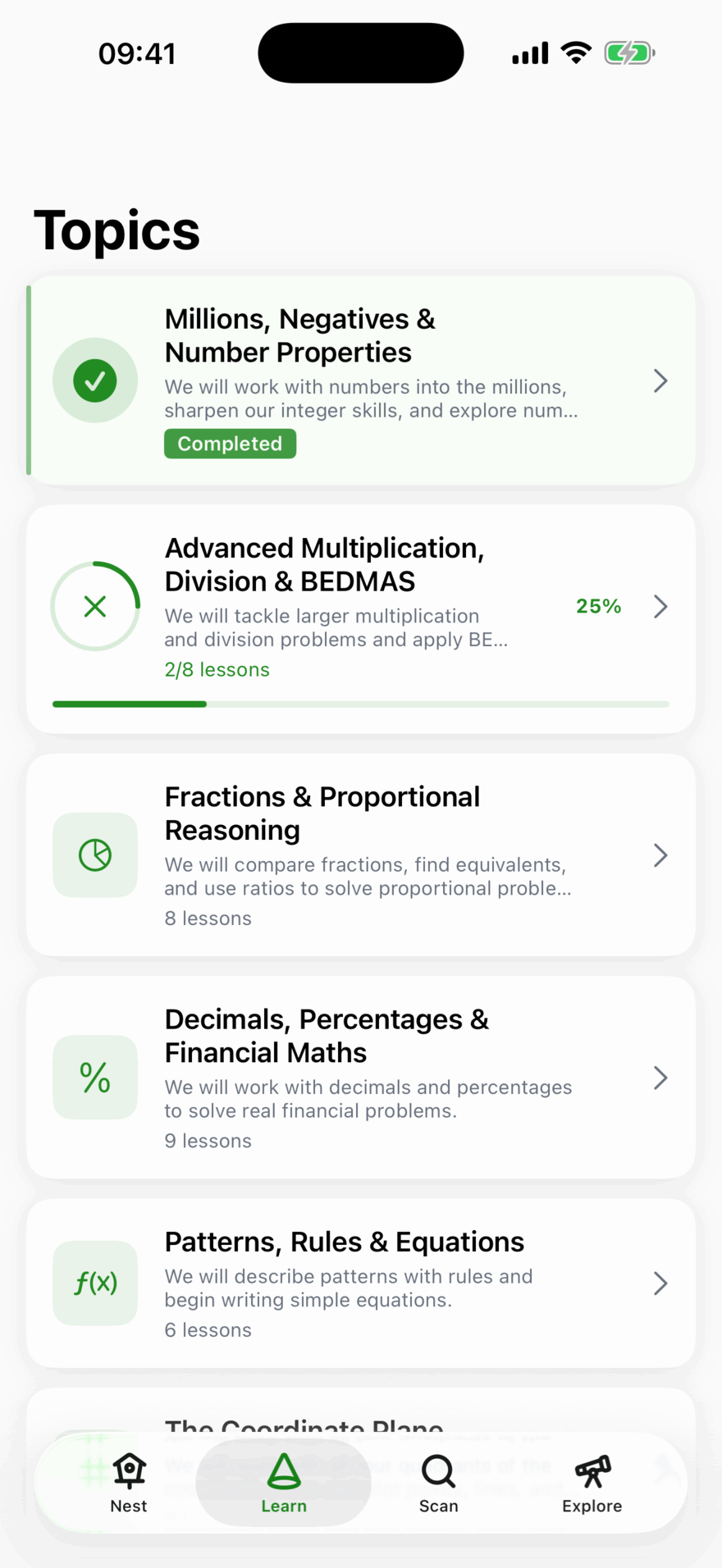

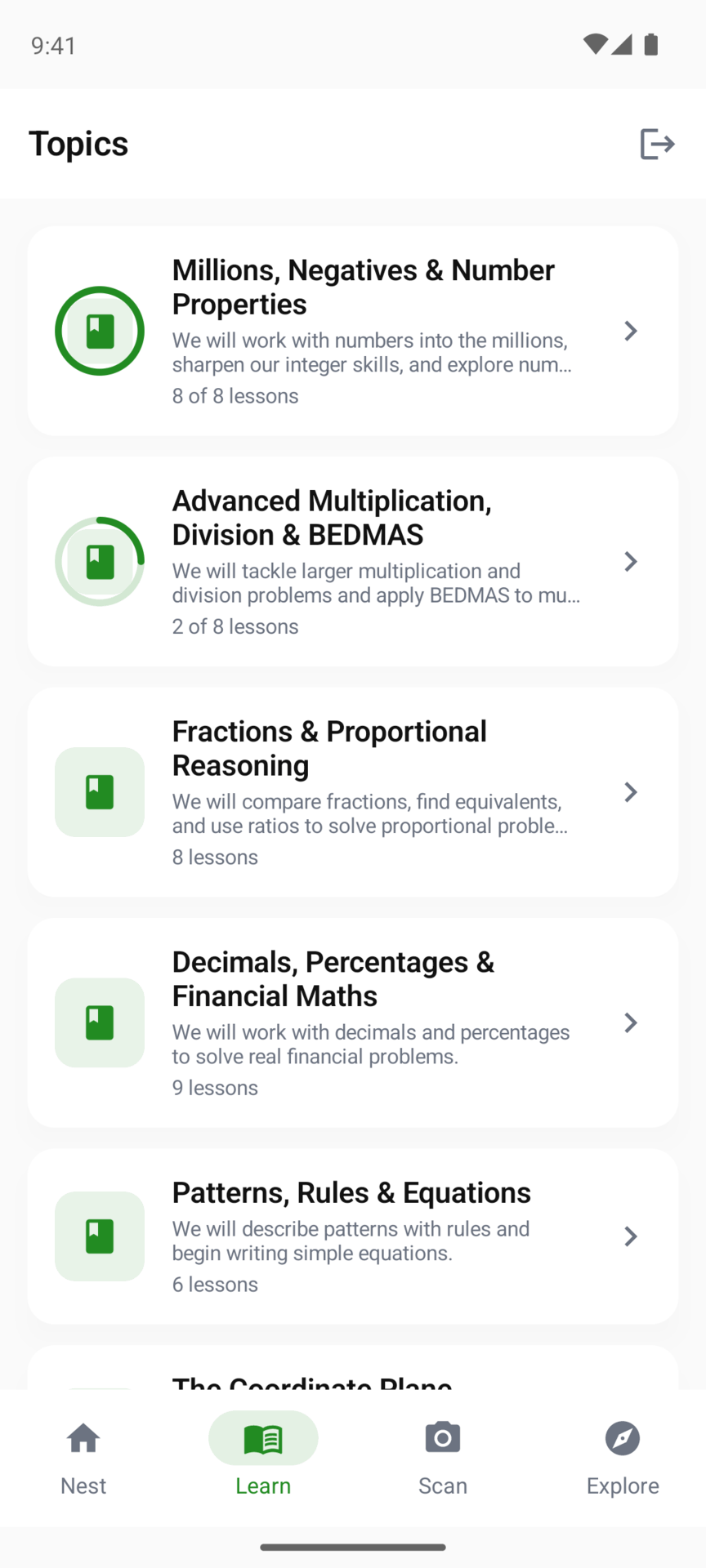
Topics
To find one quickly, type in the Search topics and lessons box above the list. It looks at topic names, topic descriptions and lesson titles in the year being shown, so “hypotenuse” finds the Pythagoras topic through its lesson “Finding the Hypotenuse”. When a lesson title matched, the topic shows those lessons under its description; tap the topic to open its lessons. It only searches the year on screen, so a topic taught in a later year won’t appear. Switching to another year clears the search.
Each topic opens with a short introduction and a picture of what it is about, before the first lesson. A topic can also have:
- Foundations: a few lessons from earlier years that the topic builds on. Worth doing if your child finds the topic hard going.
- Topic Recap: a round of questions from across the topic once the lessons are done: ones your child found hard first, then questions they haven’t met yet. Each child’s recap draws on their own record, so one child doing a recap never uses up questions another would get. Find it under the lessons as Topic Recap, “Review questions you found tricky”. On iPhone and iPad tapping it starts straight away, and if your child hasn’t found anything tricky yet it offers Practise Random instead. On Android it opens a page with Start Recap.
If a topic builds on earlier topics your child hasn’t covered yet, starting a lesson can bring up a short note that lists them, with Start the lesson and Practise these first. It shows once per child for each topic, and not at all once they have started the topic. On iPhone and iPad it appears when they start the lesson; on Android, when they tap the lesson in the list.
Lessons
Each lesson says roughly how long it takes. It starts with a short explanation, which can be read aloud, and a few example questions. Then come the questions, in three parts:
- Let’s Learn Together, where Kākā works through questions alongside your child.
- Your Turn, where they answer on their own with help available.
- Challenge Time, a few harder questions to finish.
If fewer than six in ten Your Turn questions went right, the last part opens as Feeling Confident? instead. Your child can tap I’m done, finish lesson, or tap the question to try the challenge anyway.
A lesson in the current week of a weekly plan, in a topic your child hasn’t worked on before, is gentler because you are doing it together: more guided questions and no Challenge Time.
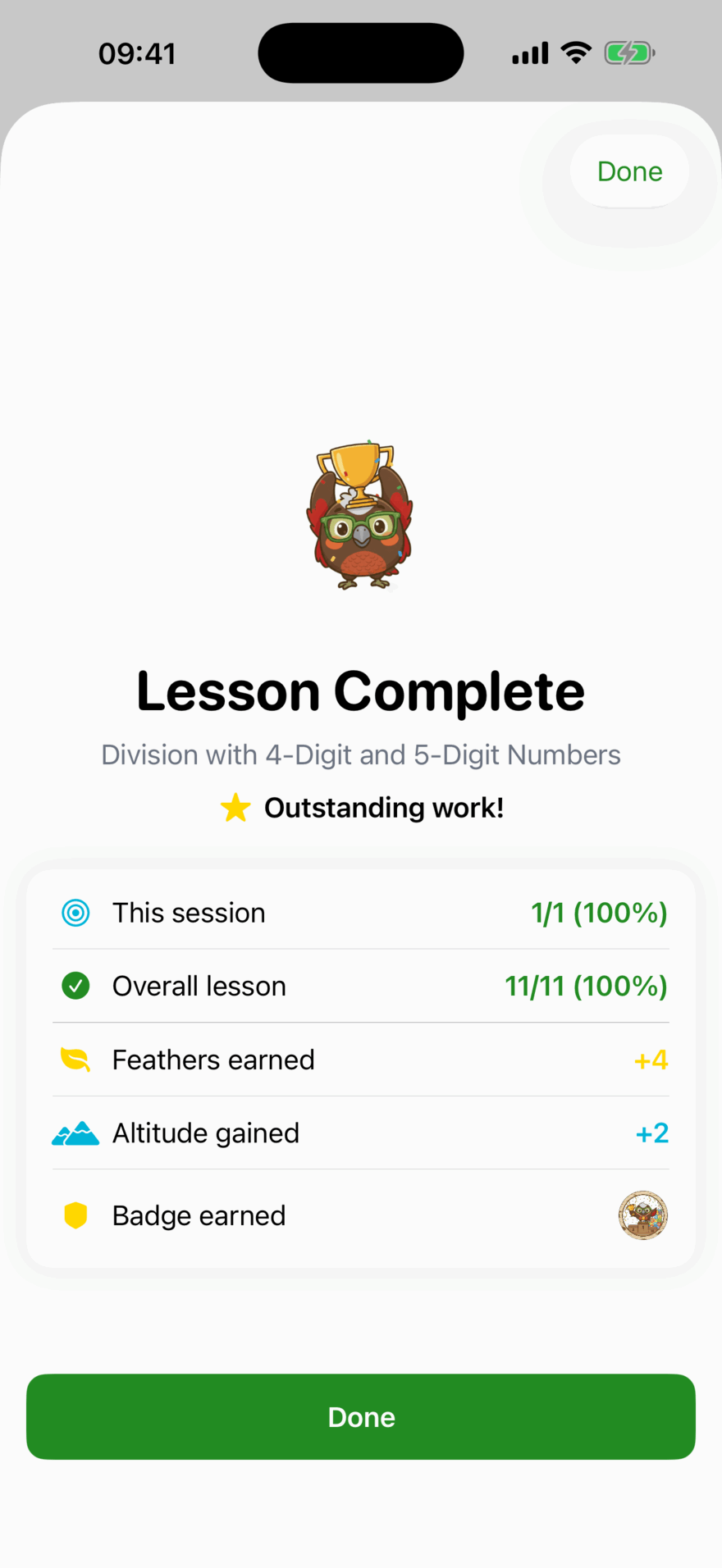
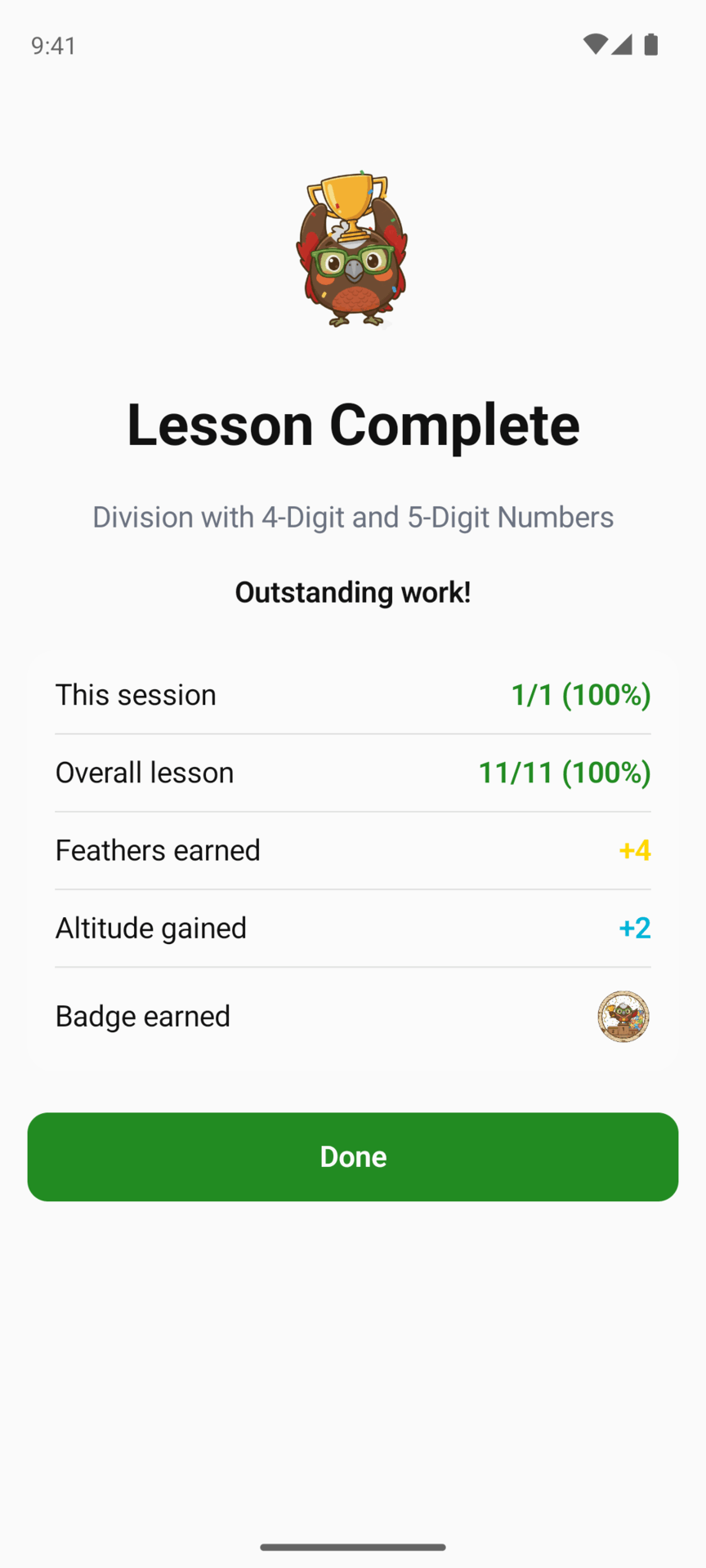
At the end, the lesson summary shows how many questions they got right first time, the Feathers and Altitude they earned and any badge that came with it.
Doing a lesson again
A finished lesson can be done again with Practise Again. It is good revision, and it pays fewer Feathers than the first time, so the rewards keep following new learning.
If your child skipped questions, coming back to the lesson takes them to what was left rather than starting over.
What to do next
The Nest suggests what to work on, and Quick Review brings back questions they found hard so they stick.
Updated . Does something here not match what you see in the app? Tell us and we will fix the page.