Give your child the maths confidence they deserve
Kākā Math is a personalised maths companion that helps your child learn at their own pace, aligned to the New Zealand curriculum, with tools for you to stay involved in their journey.
Join the beta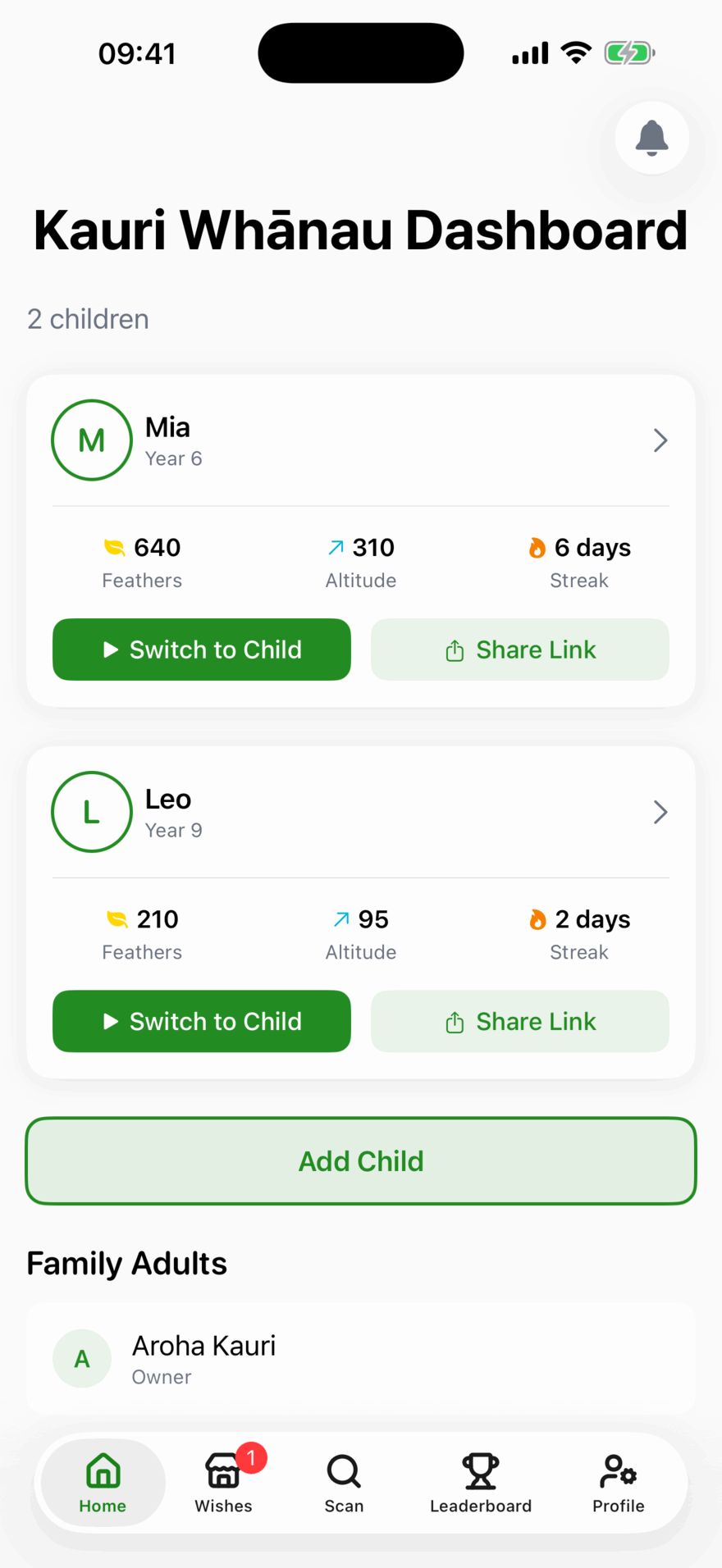

How Kākā Math helps your child
A curriculum, a tutor and a reason to keep going, in one app.
NZ Curriculum Aligned
Every lesson is built from the New Zealand Mathematics curriculum for your child's year level, Year 1 through to NCEA Level 3.
Hints, Not Answers
When your child gets stuck, Kākā guides them with progressive hints rather than just giving the answer.
Cheeky Check
Your child snaps a photo of their homework and gets feedback on their working, not just the answer.
Earn Feathers
Kids earn Feathers for completing lessons and can trade them for Wishes you set, which is motivation they actually care about.
Track Progress
See exactly how your child is progressing: lessons completed, accuracy, streaks, and areas that need attention.
Personalised Learning
AI generates a personalised syllabus for your child's year level, adapting as they learn and grow.
Mini Games
Three fun mini-games: Times Table Challenge for multiplication fluency, Kākā Munchers for finding multiples on a grid, and Connect the Dots for solving questions to reveal shapes.
Customise & Collect
Your child can personalise their Kākā with avatar costumes and app colour themes, plus earn badges for milestones along the way.
Learn it together, a little each day
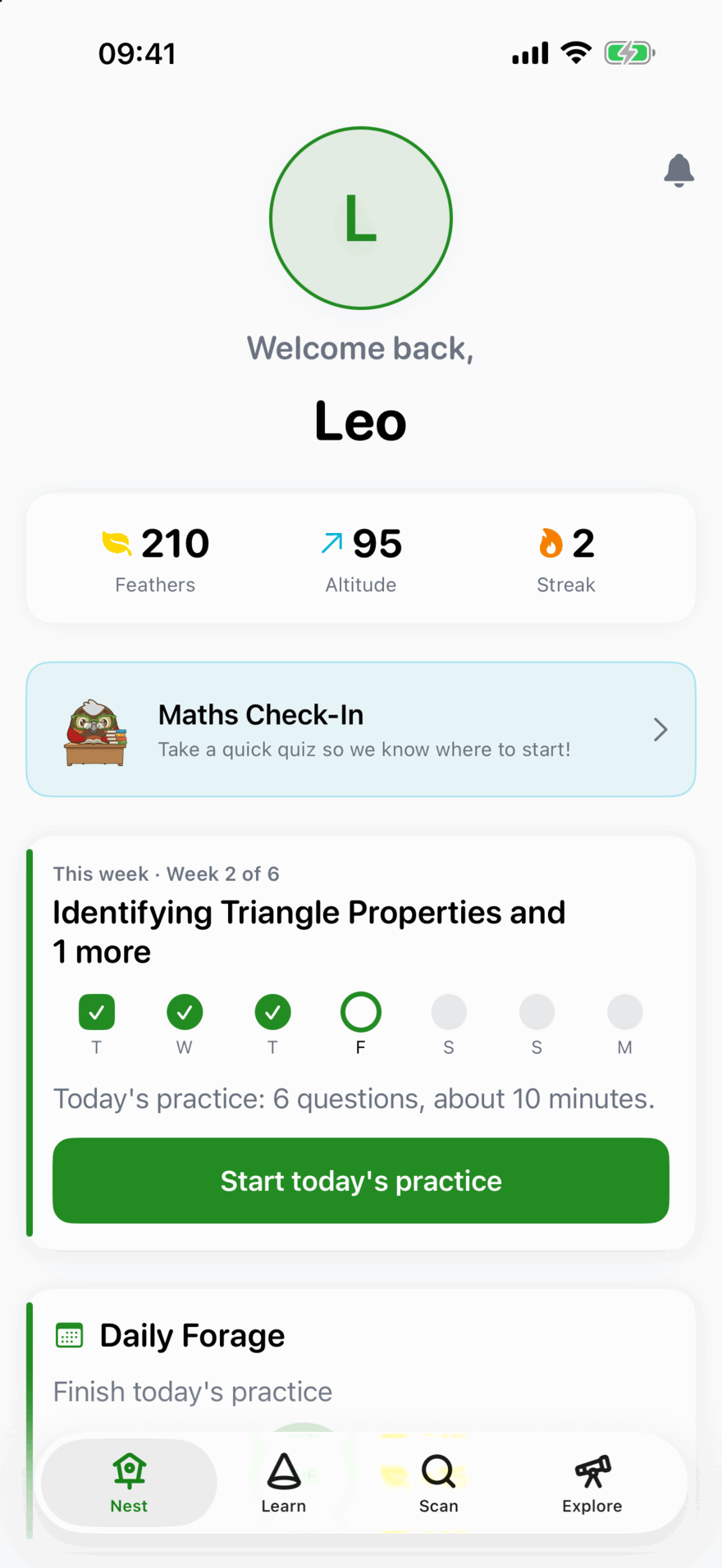
Pick a topic you want your child to reach, from any year level. Kākā Math lays out the lessons to get there, two a week, starting with the basics it builds on.
A session day together
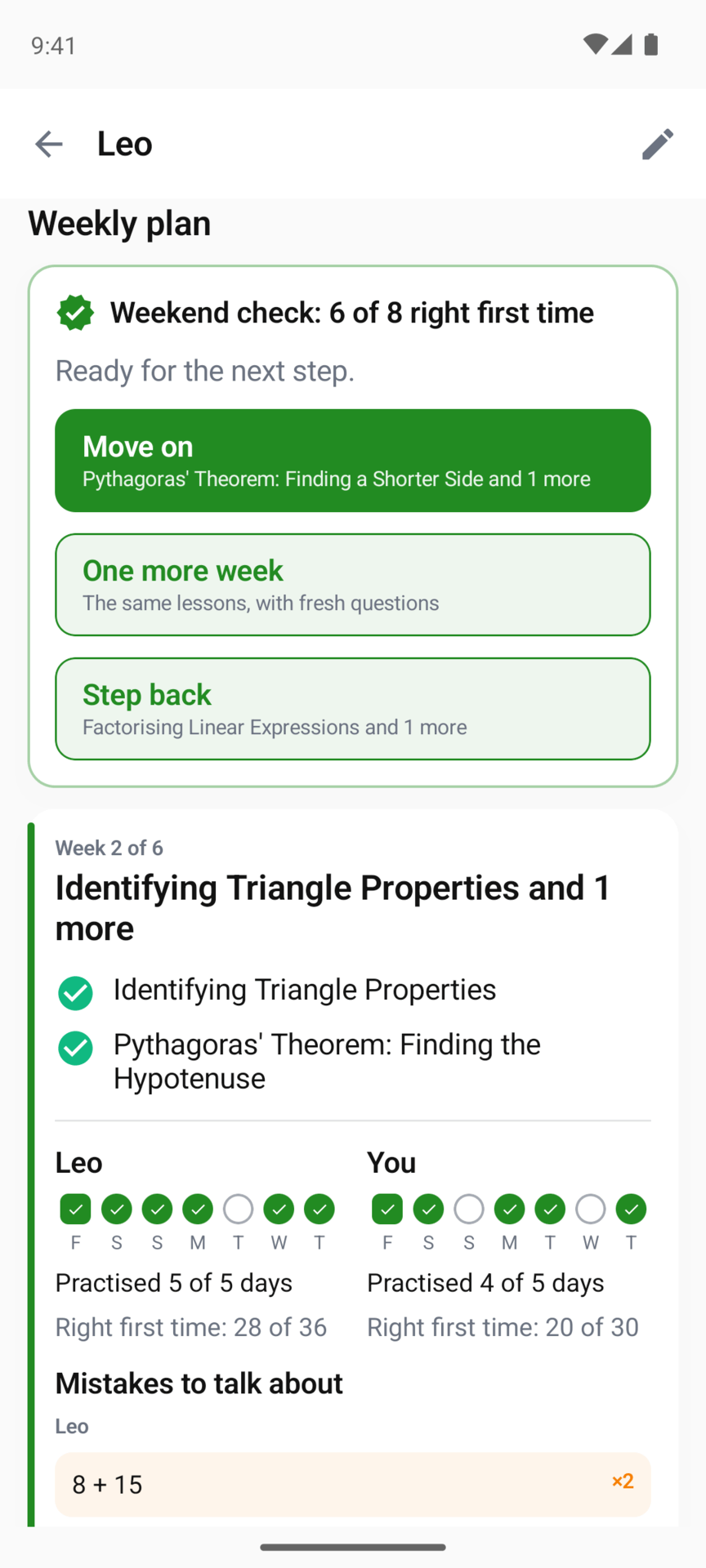
Once a week, Saturday unless you choose another day, you sit down with your child for that week’s two lessons.
Today’s practice on the other days
A short set of questions on this week’s lessons, with a few from earlier weeks mixed in, getting harder as the week goes on. Six questions takes about ten minutes, and you can set anywhere from four to ten.
A weekend check, and your call
Eight questions on the week’s lessons. Kākā Math suggests Move on, One more week or Step back. You decide.

You don’t need to remember the maths yourself
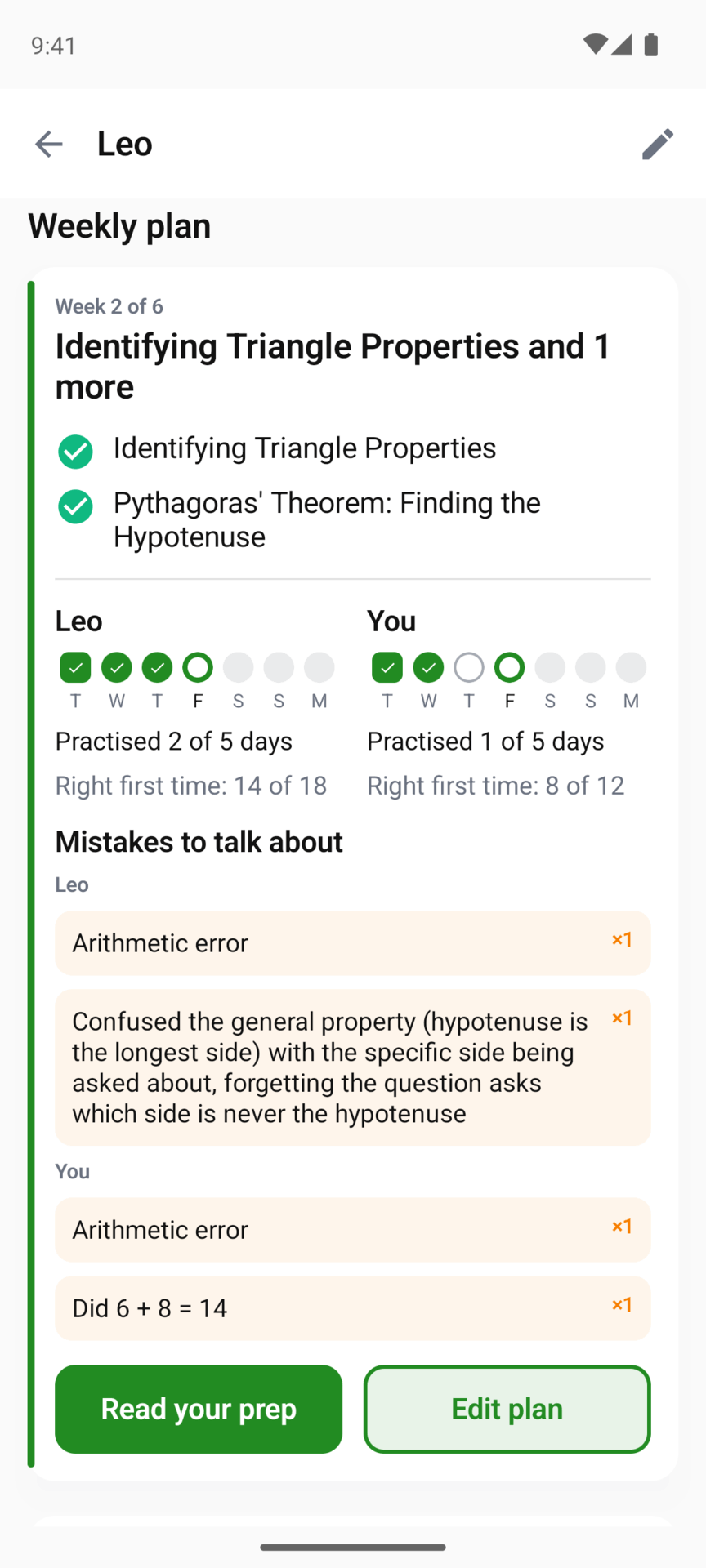
The evening before each session you get an email with how the week went and the mistakes worth talking about, found by matching your child’s wrong answers to the common mistakes each question is written to catch.
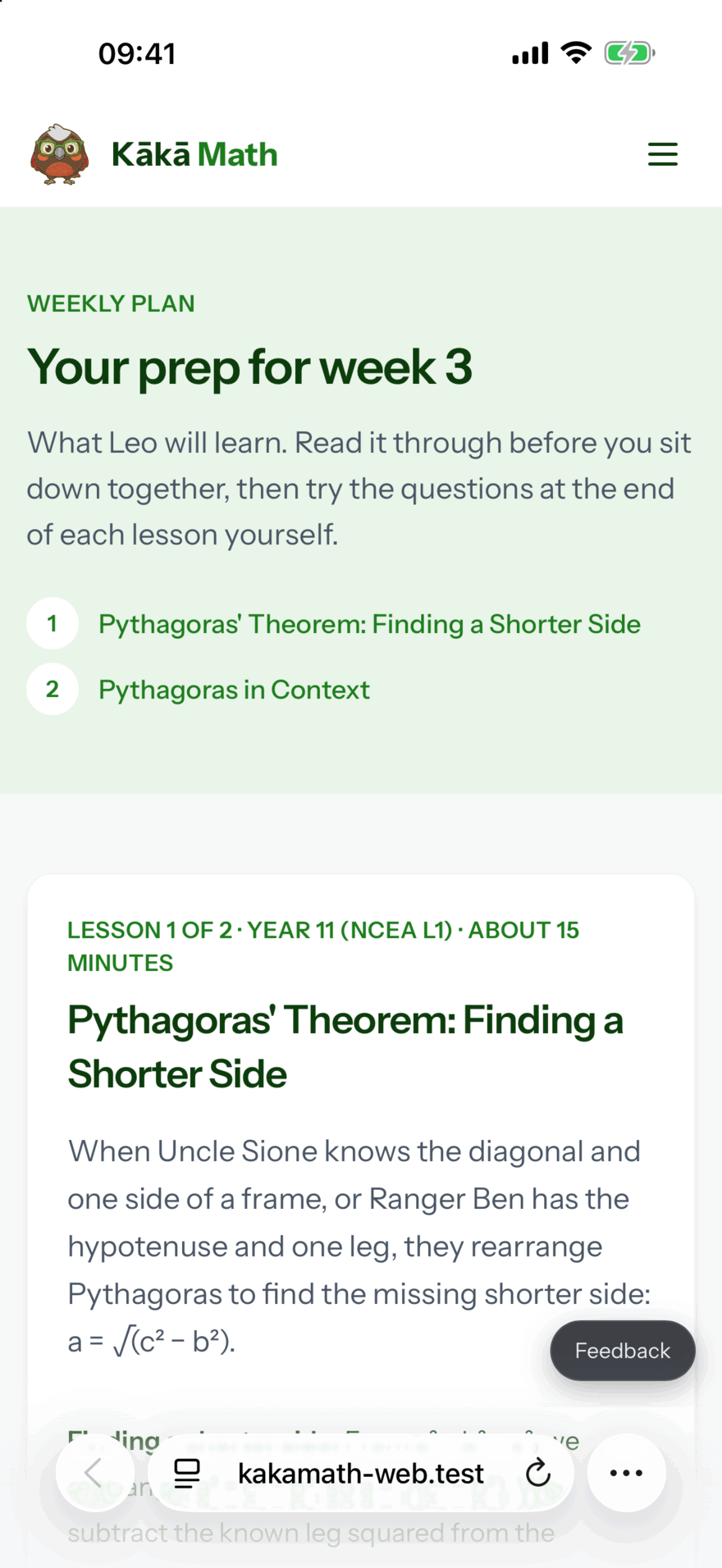
It links to a prep page for the next lessons: the key ideas, a worked example, the mistakes to watch for, and a few questions to try yourself, each with its answer tucked away until you want it. No sign-in needed.
Or turn on Learn alongside and do the same lessons on your own learner profile. Your results sit beside your child’s each week, and the suggestion is always about your child, never you.
Your Parent Dashboard
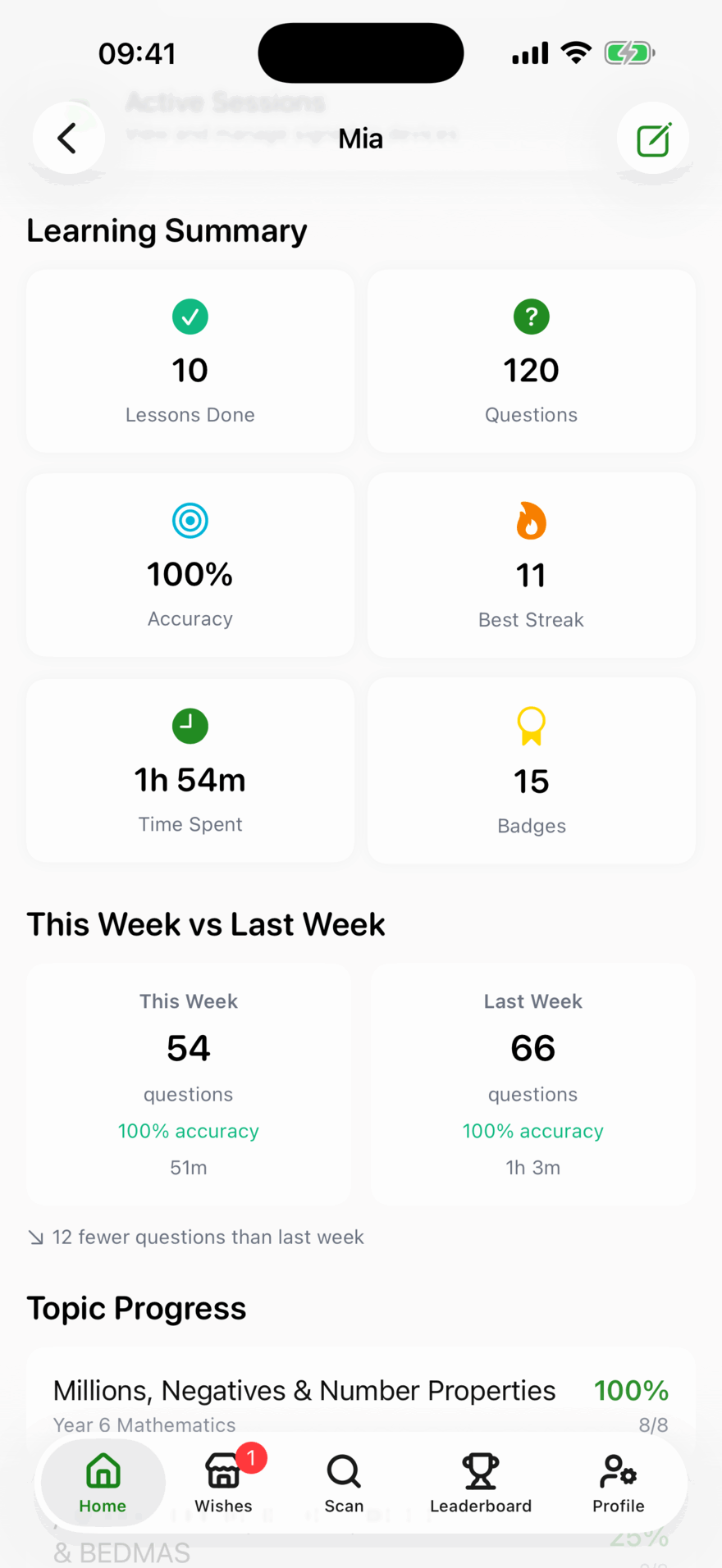
Stay connected to your child's maths journey without looking over their shoulder. The parent dashboard gives you the insights you need to support them effectively.
Real-Time Progress
See lessons completed, accuracy rates, topics mastered, and compare this week against last week at a glance.
Problem Questions & Trouble Spots
See exactly which questions your child is struggling with, including times table trouble spots with accuracy per fact (e.g. "7 x 8 at 40% accuracy").
Wishes
Set real-world Wishes your child can trade their Feathers for. You choose what's on the list and what it costs, and you grant each one.
Weekly Progress Emails
Receive a weekly email summary of your child's learning activity, so you're always in the loop without needing to open the app.
Family Accounts
Add multiple children, each with their own curriculum and progress. Invite another adult (partner or co-parent) to share access.
Built for Family Life
Whether your child has their own device or shares yours, Kākā Math is designed to fit how your family actually works.
-
Family PIN
Set a 4-digit PIN to protect the parent area when sharing a device with your child
-
Magic Link Sign-In
Send your child a magic link to sign in on their own device, no password needed
-
Switch to Child View
See exactly what your child sees by switching to their profile from the parent dashboard
-
Session Management
See which devices your child is signed into and revoke access if needed
-
Sign in with Apple
Quick and secure sign-up using your Apple ID, or use email and password
Got a spare iPhone or iPad?
Kākā Math needs iOS 15 or later, so devices as old as an iPhone 6s (2015) or an iPad Air 2 will run it. An older phone or tablet makes a dedicated maths device for your child, with no need to buy anything new.
Getting started is easy
Your child can be learning in minutes.
Join & Sign Up
Join the beta and we'll send you an invite. Creating your parent account takes under a minute. Sign in with Apple or with your email address.
Add Your Children
Add each child with their year level. Kākā Math generates a personalised curriculum automatically. Send them a magic link to sign in on their own device.
Watch Them Soar
Your child starts learning while you track their progress, get weekly email summaries, and set Wishes from the parent dashboard.
Ready to support your child's maths journey?
Tell us your children's year levels and we'll let you know when there's a spot.
Free while we're in beta. We'll email you when it's your turn.