Kākā is a tutor, not an answer key. When your child gets stuck, the app helps them find the answer themselves.


Answering
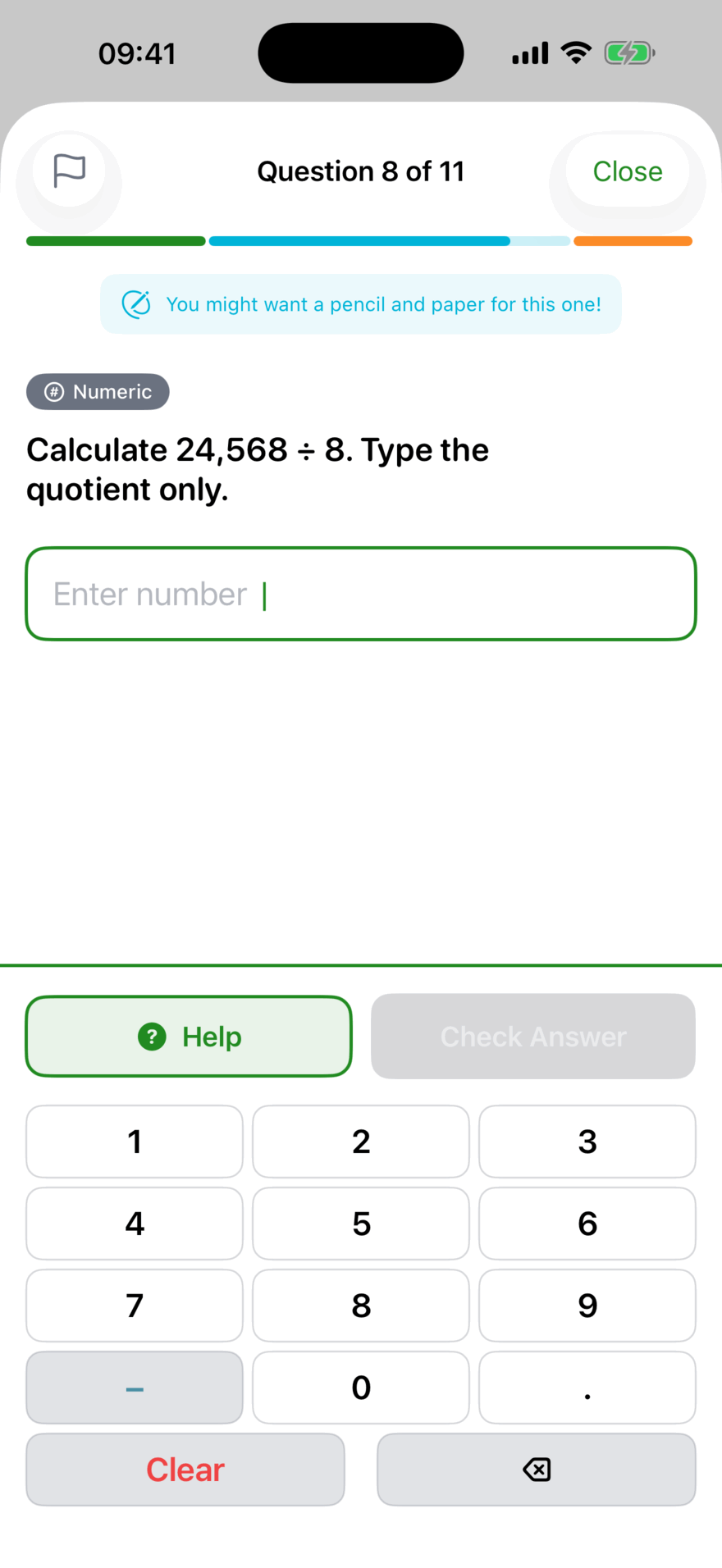
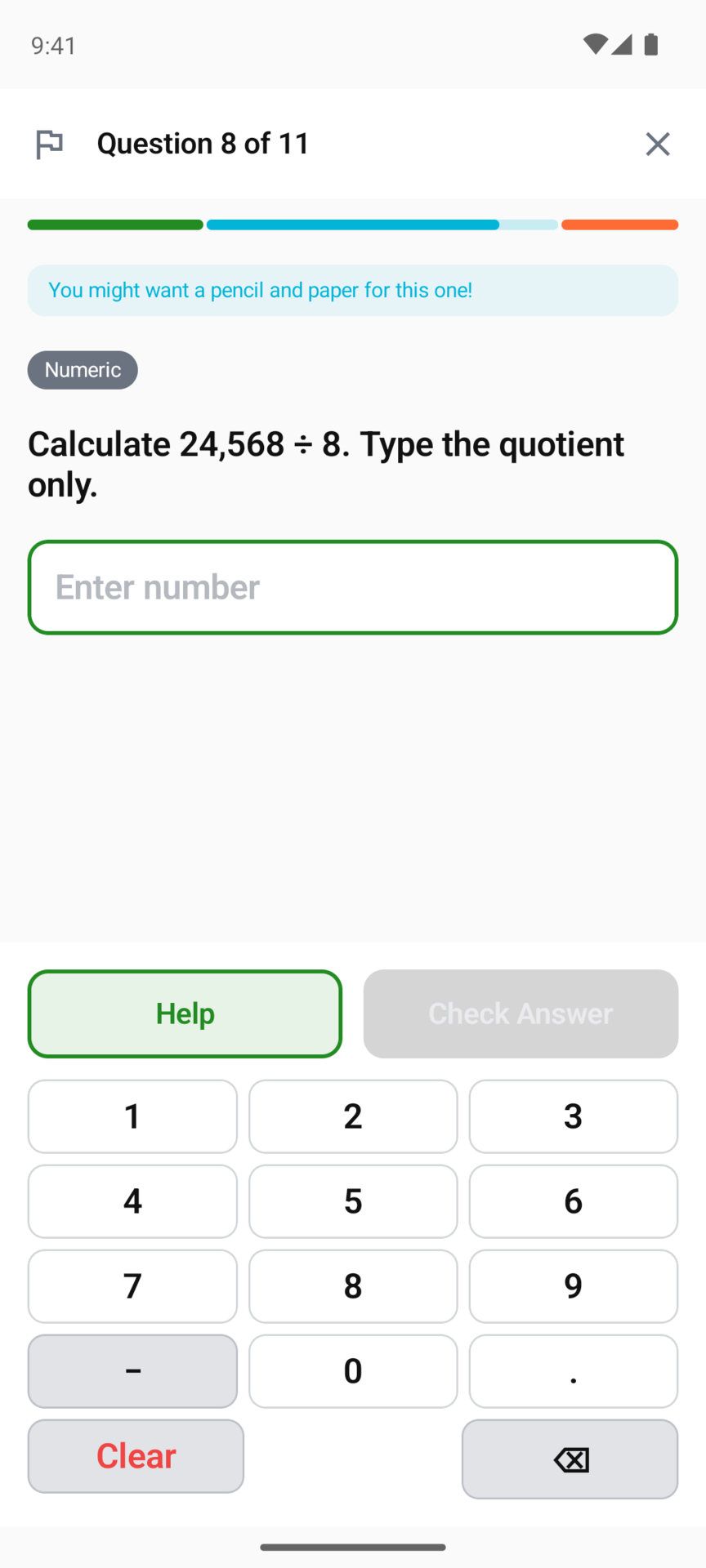
Your child answers and taps Check Answer. A right answer shows Next Question. A wrong one usually reads Not quite, with three choices: Try Again, Show me another way and Skip Question. Each question allows three tries.
Questions come in many shapes: multiple choice, true or false, typing a number, filling a blank, comparing, estimating, dragging into order, reading a graph and more.
Pictures and screen readers
Many questions come with a picture of the scene, such as Kākā at a whiteboard or Coach Tama on a rugby field. From the next update of both apps, VoiceOver on iPhone and TalkBack on Android read a short description of that picture, for example “Kākā at a whiteboard pointing to a column sum. Bright NZ primary classroom.”
The description says what the scene is and leaves out anything that could give the answer away, so it never reads out a number from the picture. A picture with no description yet is skipped, as before.
The Help button
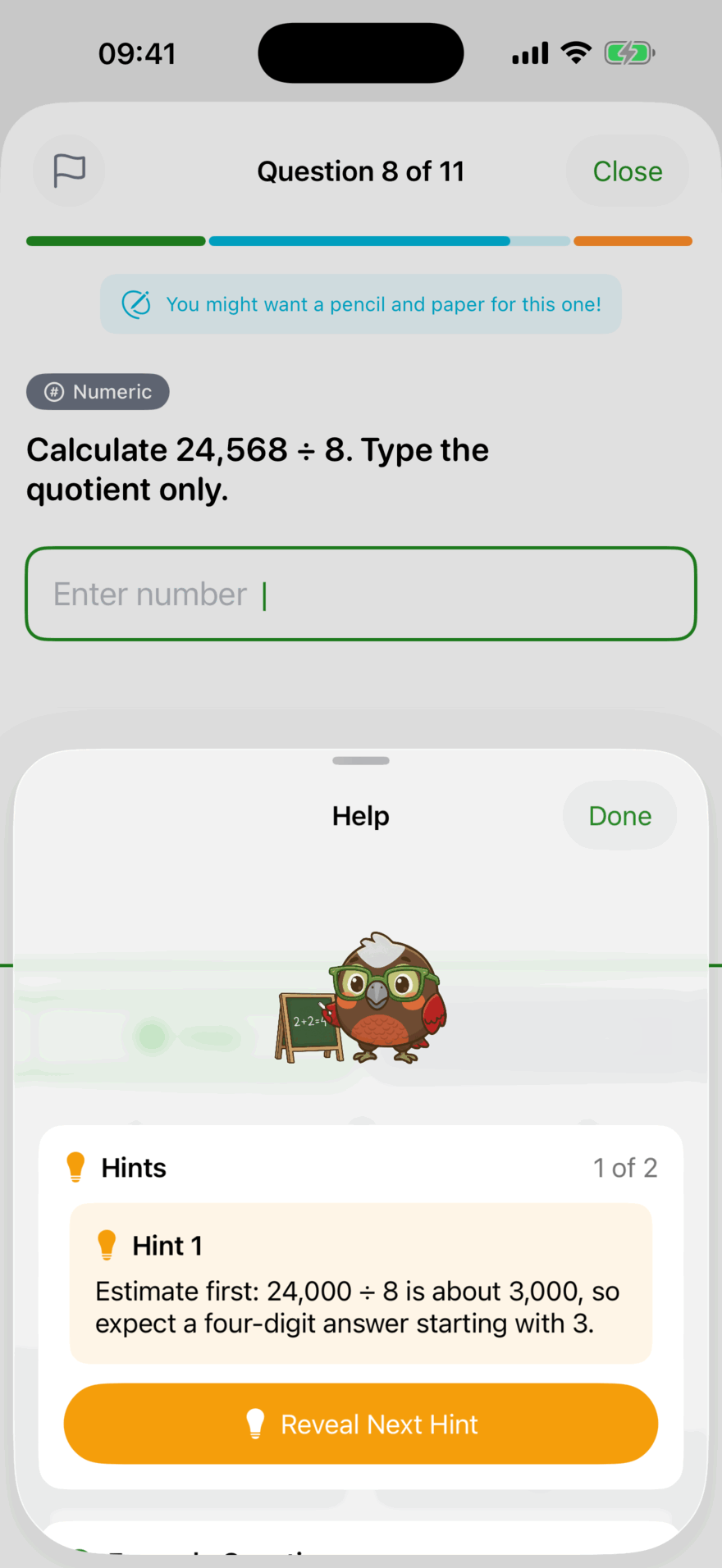
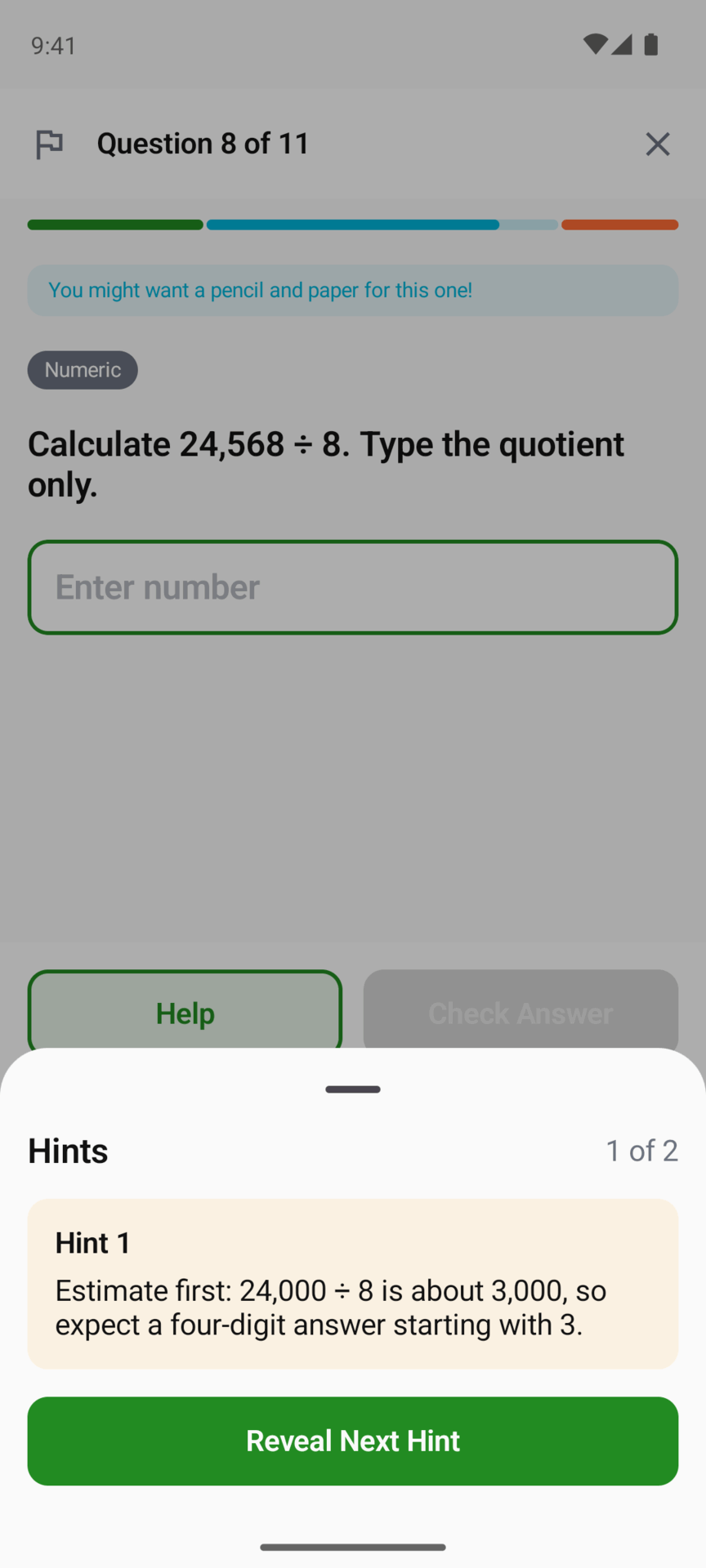
Help opens a sheet with what is available for that question:
- Hints. Revealed one at a time, each a nudge further than the last. None of them states the answer.
- Example Question. A similar question, worked through. If that question’s example isn’t ready yet, Kākā shows one from the lesson, or prepares one while your child waits.
- Calculator. For Year 8 and up only. Below Year 8, the arithmetic is the point.
A question with no hints has no Help button.
Each hint costs 2 Feathers from that question’s reward. It is a small cost, so a child who needs a hint takes one, and one who doesn’t is rewarded for trying first.
Show me another way
If the explanation isn’t landing, Show me another way (offered after a wrong answer) explains the idea again from a different angle, with a key insight and an example. If Kākā can’t come up with one after a short wait, it says so and offers Try again.
After three wrong answers
The third wrong answer offers Get Help or Skip for Now. Get Help opens a sheet titled Need a Hand? with two choices:
- Walk Me Through It opens a step-by-step walkthrough of that question, one step at a time.
- Skip for Now moves on. A skipped question stays unanswered, and coming back to the lesson later picks it up.
Kākā never shows the answer itself.
Finding this tough?
If a lesson is going badly (three wrong answers in a row, or under a third right after five questions) and the topic builds on an earlier one, a card asks Finding this tough? and names the earlier topic. It offers:
- Try a building block, which opens a lesson from that earlier topic,
- Keep going, to carry on with this lesson,
- End for now.
It shows at most once a lesson, and it only ever suggests. Nothing is taken away for going back.
Today’s practice and the weekend check
On a weekly plan, today’s practice and the weekend check use this same question screen, with the same Help, hints and tries. The title says which one it is and how far through, for example “Today’s practice (2/6)”, and each question says which topic and lesson it comes from. The weekend check ends on its own result screen instead of the usual summary.
Feathers and retries
The first try earns the full Feathers for a question. A second try earns half, and a third or later earns a quarter. See Feathers, Altitude and streaks.
Updated . Does something here not match what you see in the app? Tell us and we will fix the page.